
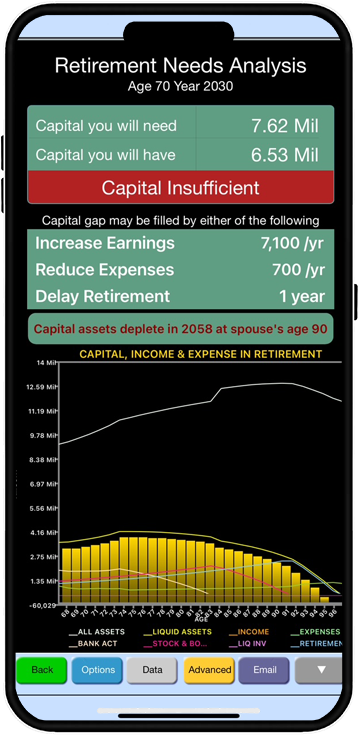
A comprehensive personal financial and retirement planning app with a lifetime planning span. It provides you with a quick and easy way to prepare a financial profile and project it for lifetime. It can also transform the normal profile into a retirement scenario or adverse scenarios including death or disability of either spouse.
This app provides to with a powerful tool for what-if analysis with unlimited possibilities and options. Its design incorporates user feedback and wishlists for functionality and features from professional financial planners we have been serving for over four decades.
PlanMode is available for iPhone and iPad from Apple App Store and for Android devices from Google play as a free app.
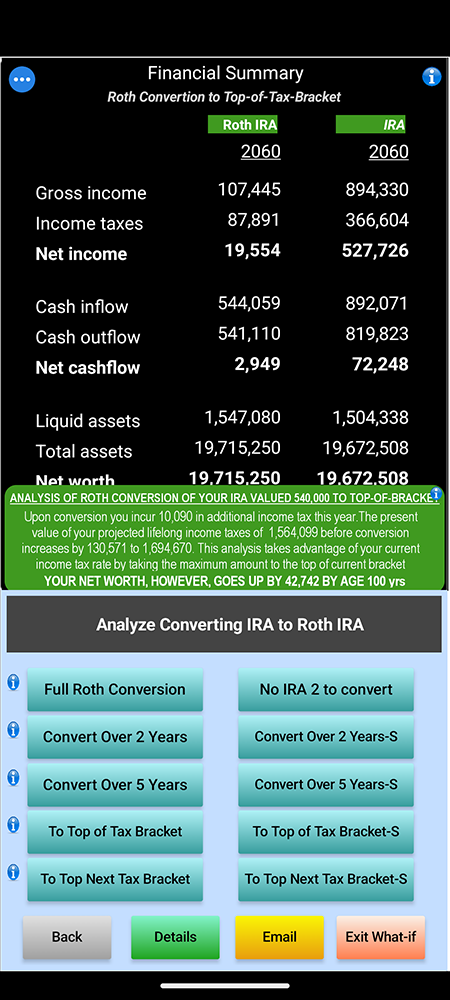
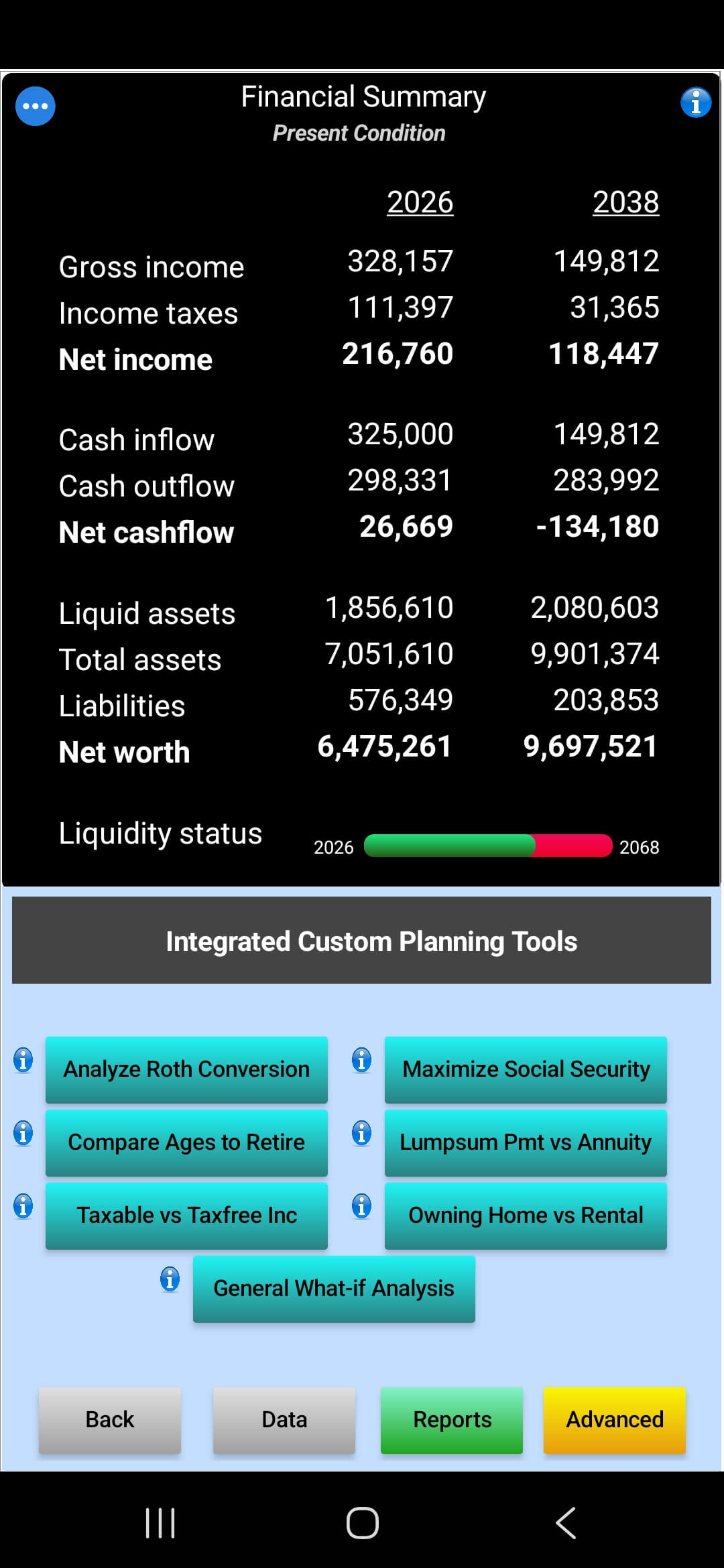
PlanMode provides you with a flexible planning platform for your current and projected financial analysis needs. It also includes a number of advanced templates to help you perform many types of pre-defined analysis that have been asked by our users over the years, including-
⦁ IRA-Roth conversion analysis
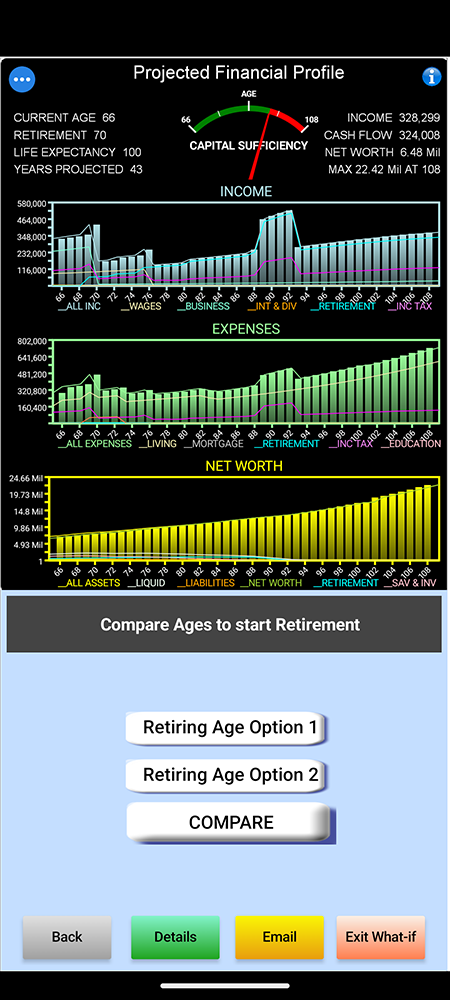
⦁ Compare two ages to retire in
⦁ Analyze options to maximize Social Security benefits
⦁ Compare a lumpsum payment vs an annuity
⦁ Will owning a home work better than renting one?
⦁ Compare taxable investment with tax-free investment
Custom Planning Tools can dramatically reduce the time and effort it might otherwise take to compare and analyze certain options. For example, take the case where you are a USA taxpayer and want to explore if converting your individual retirement account (IRA) into a Roth IRA can be beneficial in the long run.
PlanMode contains a myriad of data input formats to accommodate assets and investments so it can be properly weaved in the overall financial profile. The main input section provides formats to input data for bank accounts, retirement accounts, stocks, bonds, business, real estate and a variety of personal assets. In addition, the Expanded Data Input section provides for specific input for advanced assets and special-format items, such as-
If you are a tax professional it will enhance your analytical ability and make tax planning more efficient. If you are an independent individual looking for an easy to use tool to analyze the tax impact of a transaction, need a quick year-end tax estimation, perform a pre-tax-return-filing analysis, or review the impact of any other tax related investment decision, TaxMode will help you make more informed decision by providing a better understanding of all the possible income tax implications. TaxMode also provides you with a number of premium features should you needs go beyond quick calculations and simple planning. You can start with expanding the detail of what type of income, itemized deductions, credits and payments that can be entered and analyzed. Next you can utilize the automated comparison option that can help you quickly review the impact on one or more changes in data in a specific case. And with one simple click you can do a comparison of a case’s data for one year vs. another year.
PlanMode provides you a quick and easy way of determining the bottom line impact of a financial action or a transaction over the planning horizon of your choosing. It provides you with a static or a dynamic comparison mode. These modes can be activated or deactivated on the fly with one key touch.
You can also compare the cashflow and/or net worth difference of including or excluding an item of income or expense this year versus the next year, a lease verus a buy decision, a rent of purchase of house decision etc etc. Give it a two-minute test to see how well it works.
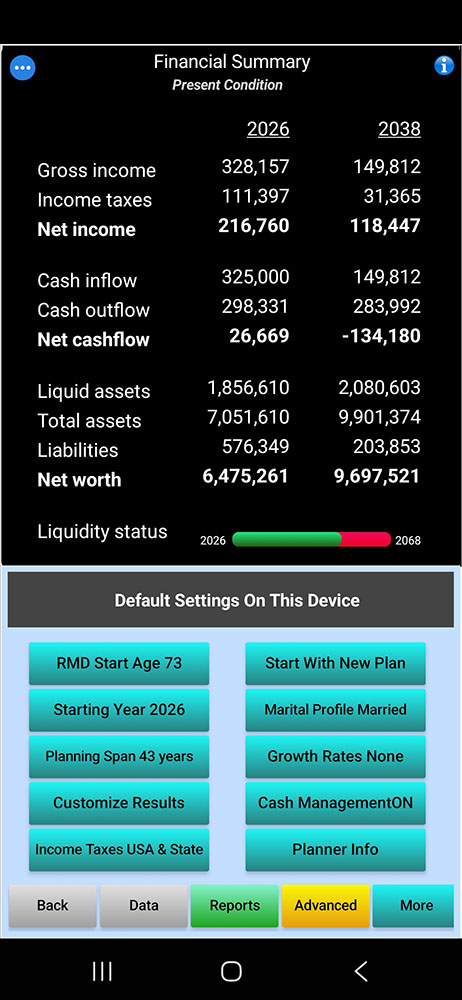
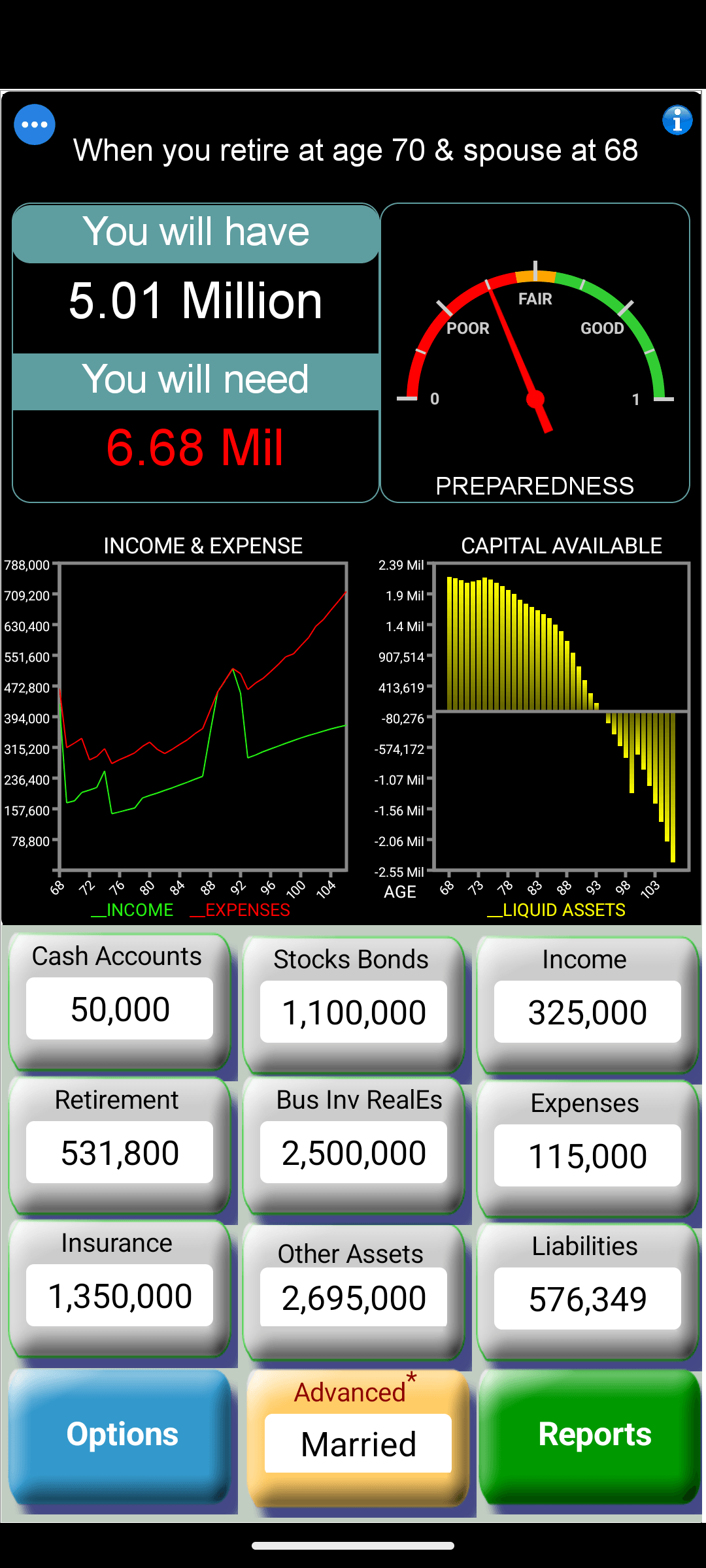

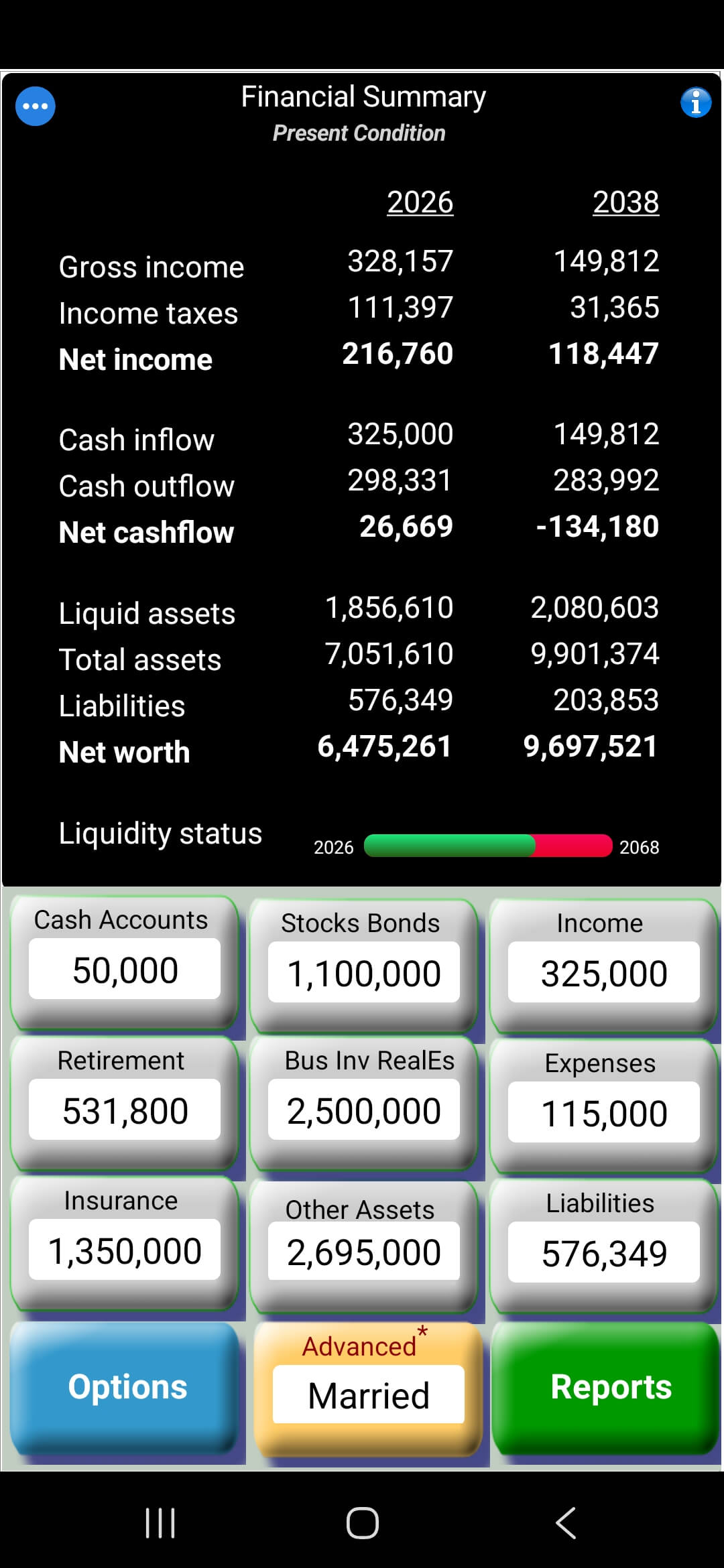
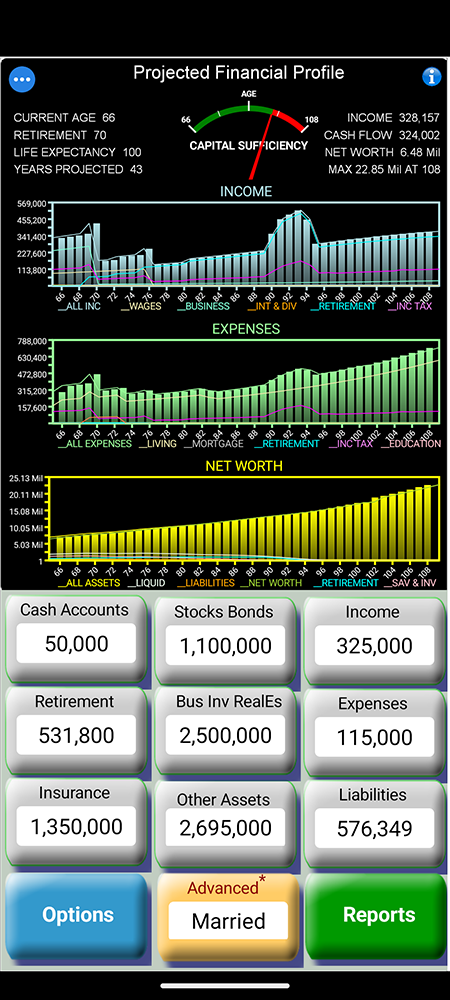
Main screen where you enter applicable data. Each category has items in pull-down menus that are displayed as you tap on a category. In addition. Advanced tab provieds you with additional data categories.
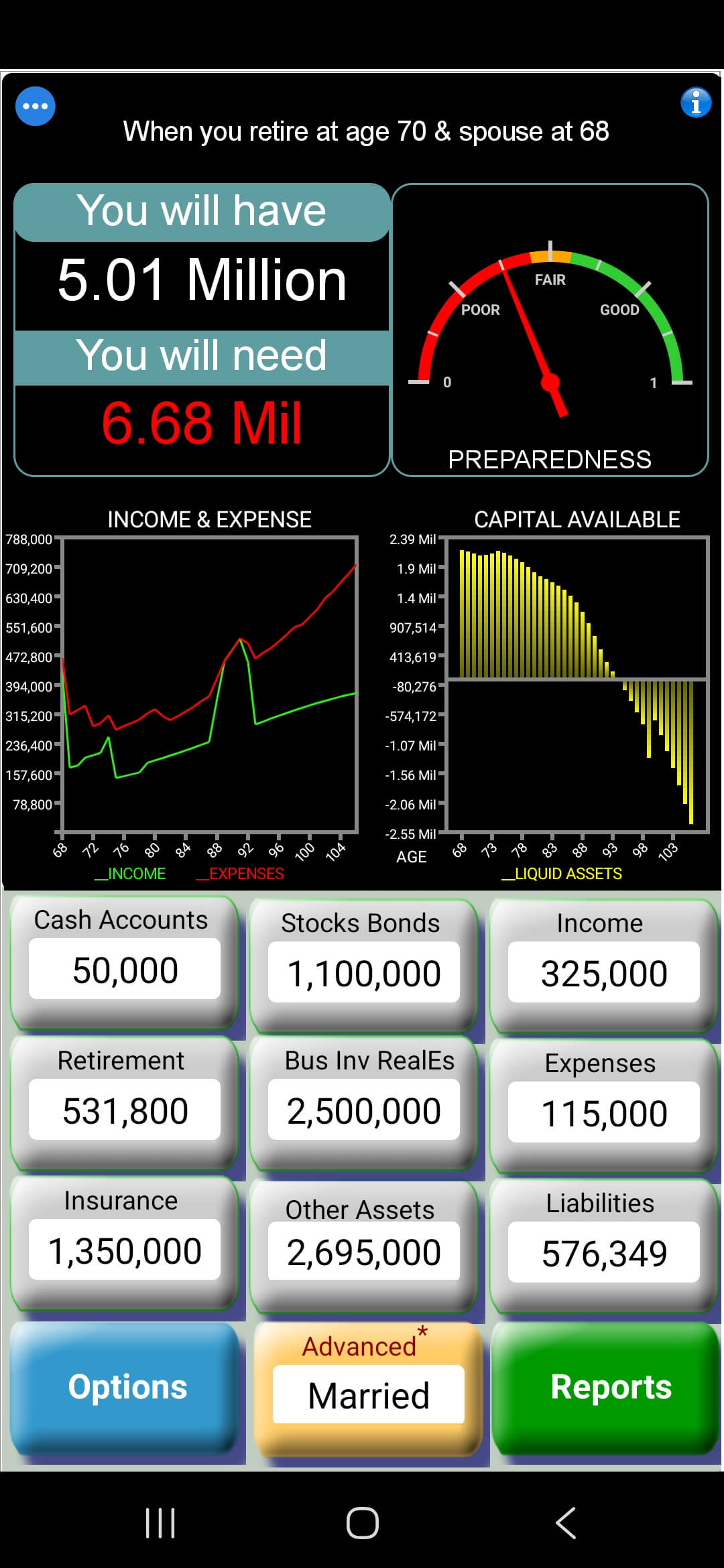
Result can be seen in numbers or as charts and graphs for the entire planning span. All charts and graphs are dynamic in reflacting data values you enter or change as you make your entries.
PlanMode is completely dynamic. All results show in reports, graphs and charts are bottom line values after all computations. you can choose any format you like for interactive planning.